

Catalog
- Advantages of CarPlay in older cars
- 3 methods to add CarPlay to older cars
- Portable CarPlay screen by Aoocci
- How to install a CarPlay screen in older cars
- FAQ
Without CarPlay, you might encounter difficulties such as limited navigation, restricted app access, and safety issues while driving. But don't worry! Even if your car is older, you can enhance your CarPlay driving experience with aftermarket installations or upgrades, making it safer, more convenient, and more enjoyable.
Advantages of CarPlay for older cars
Apple CarPlay and Android Auto offer numerous advantages for older cars, such as enhanced safety features, modernized connectivity options, updated entertainment systems, and increased convenience. With CarPlay, drivers can seamlessly access navigation, music, phone calls, and messaging functions without distraction, promoting safer driving practices and improving the overall driving experience.
3 methods to add CarPlay to older cars
1. CarPlay car radio
Upgrade your classic car's audio system with a car radio compatible with Apple CarPlay or Android Auto, offering seamless integration with your smartphone.
Benefits :
- Seamless integration with your car's audio system;
- Provides an integrated CarPlay interface for easy access to apps and features.
Disadvantages:
- Requires professional installation, which may incur additional costs;
- Limited compatibility with certain older car models.
2. Tablet + Autokit Case
Use an Autokit box to wirelessly connect an Android tablet to your smartphone, enabling CarPlay and Android Auto features.

Benefits :
- Compatible with all classic cars;
- Offers flexibility by using an existing tablet as a CarPlay interface;
- Generally more affordable than installing a CarPlay car radio.
Disadvantages:
- Requires additional hardware (Autokit box);
- Tablet setup may not offer as complete an experience as a dedicated CarPlay car radio.
3. Portable CarPlay Screen
Opt for a portable CarPlay device that can be easily installed and removed from your car, offering flexibility and convenience.

Benefits :
- More affordable than a CarPlay car radio;
- High compatibility, fits any car, including older models;
- Provides CarPlay functionality without the need for permanent installation.
Disadvantages:
Limited integration with the vehicle's original functions compared to integrated systems.
Portable CarPlay Screen by Aoocci
Aoocci offers a high-quality portable CarPlay display, allowing classic car owners to enjoy the benefits of Apple CarPlay and Android Auto without the need for major modifications. Its wireless connectivity and user-friendly interface make it a popular choice among classic car enthusiasts.
1. Best Portable CarPlay Screen - V30/V30S
The best CarPlay screen, equipped with front and rear cameras, can be easily mounted on the dashboard or windshield. It supports wireless Apple CarPlay and Android Auto functionality.
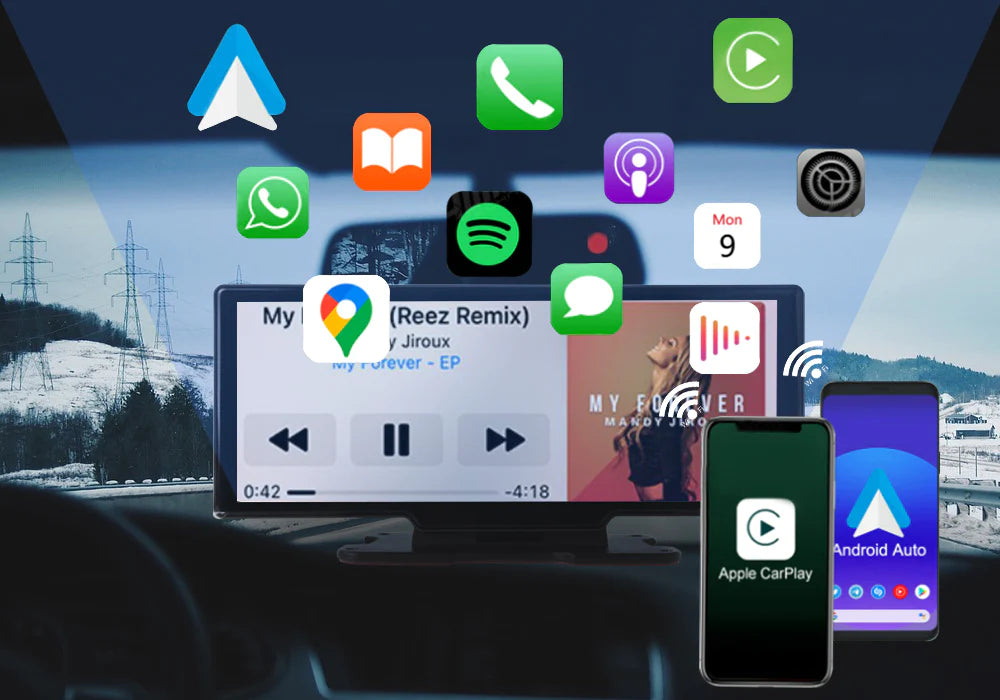
Compatibility:
- Cars: Compatible with all car models, including older cars without an infotainment system;
- iPhone: Wireless Apple CarPlay is compatible with iPhone 8 and later models running iOS 11.0 or higher;
- Android Smartphone: Wireless Android Auto is compatible with smartphones running Android 10.0 or higher.
Features :
- Supports wireless Apple CarPlay & Android Auto;
- ADAS warning systems;
- GPS positioning;
- Dual Camera Recording;
- 4K + 1080p filming;
- 24-Hour Parking Monitor;
- Reading by Mobile Application;
- Flexible Installation Methods.
2. Portable CarPlay Screen - D1026
The CarPlay screen comes with front and rear cameras, allowing easy wireless connection with both Apple CarPlay and Android Auto.
How to install a CarPlay screen in older cars
Installing a CarPlay screen in your older car is a great way to enhance your driving experience without needing a new car. Here's a simple step-by-step guide to get started:
-
Choose a compatible CarPlay screen
Select a CarPlay screen compatible with your car model. Look for a mountable or portable unit that supports both Apple CarPlay and Android Auto. You can browse a wide range of options in our CarPlay collection . Portable screens are a great choice for older cars as they don't require permanent installation. -
Raise the screen
Install the CarPlay screen on your dashboard or windshield, depending on your preference and the screen type. Most devices come with suction cup mounts or adhesive pads for easy installation without damaging your car. -
Connect the screen to the power supply
Connect the CarPlay screen to your car's power supply. Some models may require wiring for a constant power supply, especially if they include a 24-hour parking monitoring feature. Follow the manufacturer's instructions for this step. -
Pair the screen with your smartphone
Connect your iPhone or Android device to the CarPlay screen using Bluetooth or a USB cable. Once paired, your phone's navigation, music, and messaging apps will appear on the screen, providing a more convenient and safer driving experience. -
Enjoy the benefits of CarPlay
Once connected, you can start using Apple CarPlay or Android Auto features immediately. Whether it's for navigation, music control, or phone calls, you'll have everything you need at your fingertips, all while keeping your eyes on the road.
FAQ about installing a CarPlay screen in older cars
1. Can I install a CarPlay screen in any older car?
Yes, you can install a CarPlay screen in most older cars. Several solutions are available, including portable screens that don't require permanent installation. Some systems may require you to choose a compatible mount or connect to your car's power system, but they can generally be used in any vehicle with a compatible power source.
2. Do I need professional help to install the CarPlay screen?
It depends on the installation method you choose. Portable CarPlay displays are generally suitable for DIY projects and don't require professional installation. However, if you opt for a CarPlay head unit or a more complex system, professional installation may be recommended to ensure everything is set up correctly.
3. How do I connect my smartphone to the CarPlay screen?
To connect your smartphone, you will typically use Bluetooth or a USB cable. Once paired, your phone's interface will be mirrored on the CarPlay screen, giving you access to apps, navigation, and music while driving.
4. Are portable CarPlay screens compatible with Android phones?
Yes, many portable CarPlay displays are compatible with iPhones and Android phones. For Android devices, you can use Android Auto instead of Apple CarPlay, giving you access to similar features such as navigation, music, and hands-free calling.
5. How much does it cost to install a CarPlay screen in an older car?
The cost may vary depending on the type of CarPlay screen you choose:
- Portable CarPlay units: $100 to $300
- CarPlay car stereo system: $150 to $1000 + installation costs
- DIY setups using an Autokit case and a tablet: approximately $70 for the case + the cost of the tablet
6. Will installing a CarPlay screen damage my car?
No, if you choose a portable CarPlay screen or follow the manufacturer's instructions for permanent installations, it shouldn't damage your car. Portable screens use suction cups or adhesive pads for easy removal, and permanent systems are designed to fit without causing damage.
7. Can I use a CarPlay screen with my car's existing car radio?
Yes, portable CarPlay displays can be used in conjunction with your car's existing audio system, giving you CarPlay functionality without needing to completely replace the car radio.
8. Can I use the CarPlay screen when the car is parked?
Yes, many CarPlay screens come with features such as 24-hour parking monitoring and dual cameras, allowing you to use the system for more than just driving - whether you're recording footage or simply keeping an eye on your surroundings while parked.
9. Can I install a CarPlay screen myself or do I need a professional?
You can certainly install a portable CarPlay screen yourself, as it requires minimal effort. For more complex installations, such as CarPlay head unit systems or wired connections, professional assistance may be necessary to ensure everything functions correctly.
10. How do I choose the right CarPlay screen for my classic car?
When choosing a CarPlay screen, consider factors such as screen size, installation method (portable or mounted), compatibility with your car's existing systems, and your budget. You can browse our CarPlay collection to find the perfect option for your needs.


